
Articles
5 min reading
27 August 2026
27 August 2026
Built-In vs. Bolt-On Lightning Protection for Outdoor LoRaWAN® Gateways: Which Should You Choose?

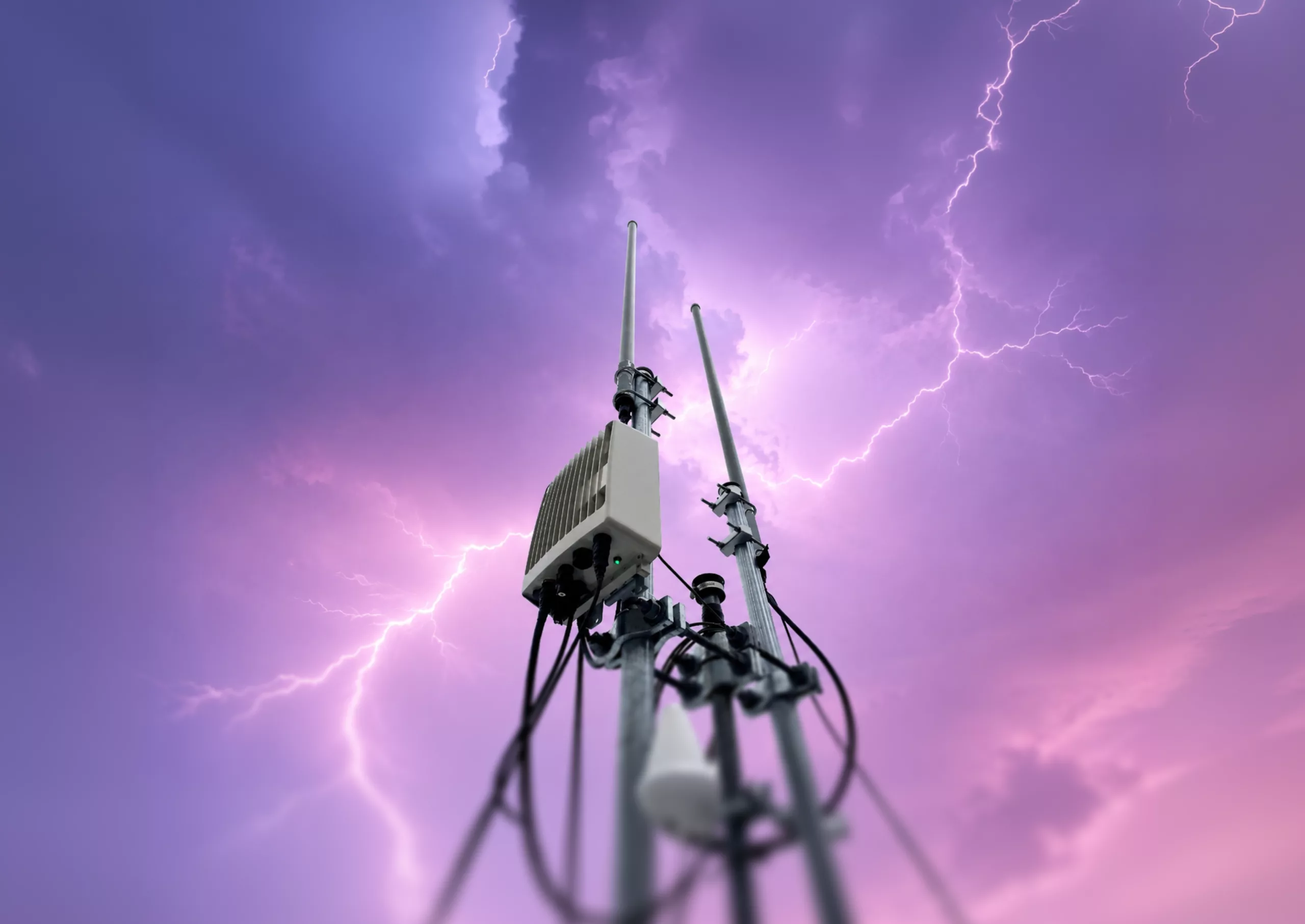
Not all gateways provide the same level of lightning protection. Two outdoor LoRaWAN® gateways may both claim to be “lightning protected” on their datasheets, yet perform very differently during a major storm. One may continue operating, while the other could fail, resulting in service disruption and the need for repairs.
The key difference lies in the protection design, particularly in the number of separate ground connections required.
Key takeaways
- Lightning protection must cover every external interface
- Built-in protection connects all interfaces to a single common ground, reducing the risk of ground loops and side flashes
- Bolt-on protection increases hardware requirements, installation labor, enclosure penetrations, and reliance on installer expertise
- For exposed or hard-to-access sites, integrated protection generally offers greater reliability and a lower total cost of ownership
Why lightning and ESD matter more than most teams expect
For equipment installed on rooftops or towers, lightning, electrostatic discharge (ESD), and electrical noise from power and network cables are routine operating conditions.
Exposure can be greater in lightning-prone regions and at open or elevated sites where antennas and supporting structures are highly exposed.
A gateway antenna mounted at the highest point on a site becomes one of the most attractive electrical paths to ground in the area.
A direct strike is not required to damage equipment. Nearby lightning can induce significant voltages and currents in connected cables and conductors.
Read also: External vs Integrated RF Filtering in LoRaWAN® Networks
How surge protection works
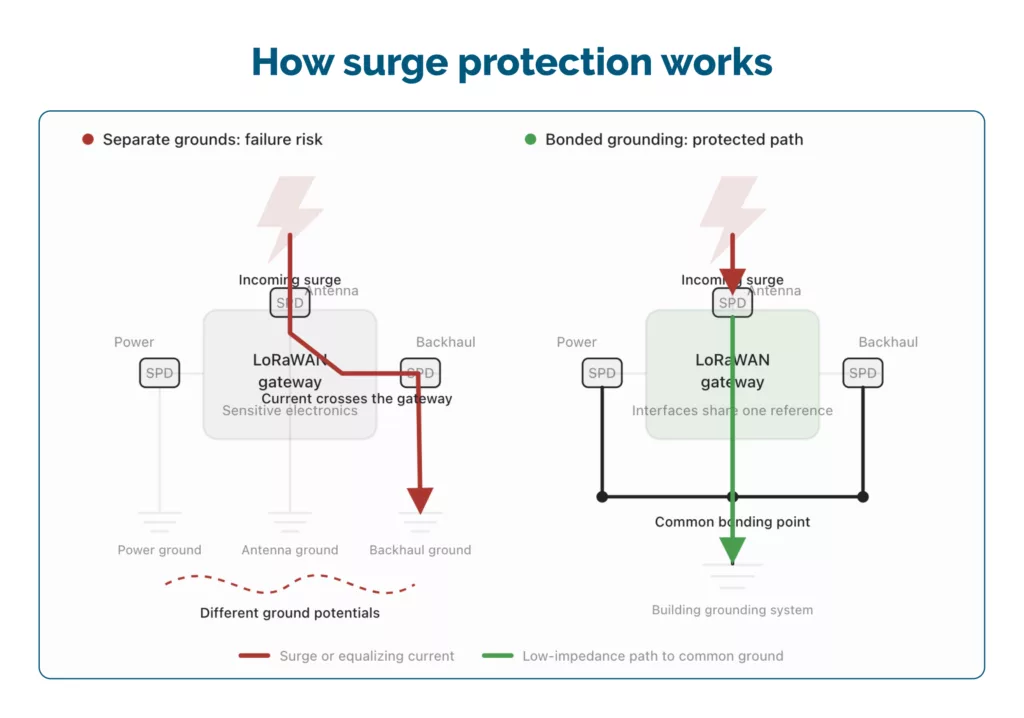
Lightning protection offers a low-resistance path to ground for surge energy, directing it away from sensitive electronics. While a strike cannot be prevented, the system design determines where the energy is discharged.
Two conditions have to be true for that to work:
- The path to the ground has to be easy for the current to take
- Every external connection has to offer that same path
Most designs fail to meet the second condition.
A surge can enter through the antenna cable, power feed, or backhaul cable, depending on the path of least resistance. Inadequate protection on any interface shifts the risk to the weakest point.
A useful way to understand the importance of bonding is to look at building lightning-protection systems.
If a lightning rod is grounded to its own separate ground rod, rather than being connected back to the building’s main grounding system, a nearby strike can push the two grounds to very different voltages for a fraction of a second. Electricity will always try to equalize that difference, so it jumps the gap between them, straight through whatever is in the way.
Electricians call this a side flash. It is the reason lightning protection codes require that every ground on a structure be bonded back to a single common reference point.
Two disconnected grounds create a gap that allows current to arc between them, making the second ground a potential target.
Now shrink that idea down to gateway scale. An external surge protector on the antenna cable. Another on the power line. Maybe a third on the backhaul. Each was grounded separately, by whoever happened to install it that day.
The same physical principles apply on a smaller scale, often resulting in a silent failure. The unit typically fails at the least-protected interface.
Two approaches you’ll see in real deployments
Bolt-on (external) protection
Most gateway vendors omit lightning and ESD protection from the unit. The datasheet recommends adding external surge protection devices to the antenna feed, the power line, and sometimes the backhaul, which are purchased separately and grounded on site.
Built-in (integrated) protection
Protection is engineered into every external interface at the factory, and all of it bonds to one shared metal ground plane inside the unit. In carrier-grade designs, that ground plane is often the same chassis that acts as the heat sink.
Both approaches allow vendors to claim “lightning protected” on specification sheets, but their long-term field performance differs significantly.
Read also: LoRaWAN Gateway IP Rating — What It Really Means Outdoors
Why bolt-on protection looks attractive at first
Teams often select this approach for practical reasons:
- Lower base gateway price
- Flexibility
- Easy initial approval
Additionally, external surge protection devices are widely recognized and accepted in industry standards. In low-risk environments, this approach may be sufficient. However, trade-offs often become apparent over time.
The full cost of bolt-on protection
Field installation of bolt-on protection is the most challenging aspect of the design. Protecting electronics from microsecond-scale events is demanding, and this responsibility shifts from factory engineers to installers working under variable conditions.
Here is how that shows up in practice.
Hardware costs accumulate per interface. A quality external surge protector typically costs $25–50, and each gateway has multiple exposed interfaces. This expense is incurred for every interface, on every gateway, at every site.
Additional field labor is required, as each protector must be mounted, wired, and grounded individually. Built-in designs eliminate this installation step. Every additional protector usually requires another cable penetration near the enclosure, creating another opening through which moisture can enter over the years.
Effective protection depends on the installer’s skill. Achieving consistently high-quality ground connections across many sites and varying installer experience is challenging.
When each protector is grounded separately, multiple grounds at different voltages can create ground loops. During a nearby strike, current may circulate between them, bypassing protection and reaching the electronics.
There is no straightforward way to verify ongoing protection. Field connections may corrode or loosen over time, and degraded grounding is often only discovered during a storm. Because the weak point is usually a single degraded ground connection, these schemes tend not to degrade gradually. This means degradation may not always be obvious before a failure occurs.
Read also: Why your outdoor radios antenna placement matters
The math behind it
Take a typical outdoor gateway with four exposed paths: the LoRa® antenna, the power feed, an Ethernet backhaul, and a cellular backhaul antenna.
| Bolt-on protection | Built-in protection | |
| Protection hardware | USD 100–200 per gateway (4 × 25–50) | Included in the design |
| Field ground connections | 3–4 per gateway | 1 per gateway |
| Installation time | Longer, with each device mounted, wired, and grounded | Standard mount and ground |
| Extra enclosure penetrations | Yes | No |
| Validation | Assembled piecemeal on site | Tested once as a complete system |
| Typical protection margin | Depends on field execution | Engineered well beyond the minimum standard |
| Failure mode | Sudden and total | Designed with margin |
| Verification over time | None | Validated at the factory |
Only the hardware cost appears on the initial quote; the remaining expenses impact your operating budget.
Telecom grounding practice generally targets a ground resistance of under 5 ohms, which, in plain terms, means the path to ground must be very easy for current to flow. Hitting that reliably across three or four separate field-installed ground runs is a much harder problem than validating it once at the factory on a single bonded chassis.
How built-in protection changes the picture
When protection is part of the original design, several things improve at once.
Every interface is covered. RF, power, and backhaul, rather than the antenna port alone.
One ground, not four.
Everything bonds to a single shared reference plane, so the side-flash and ground-loop conditions described above have nowhere to form.
The system is validated as a complete unit. Factory testing ensures the entire protection path meets or exceeds industry standards, often providing two to three times the minimum required protection at no additional per-unit cost.
Installation is simplified, with fewer components and connections, reducing the likelihood of costly errors.
Fewer openings in the enclosure. There are fewer enclosure openings, which is important because water ingress is a common cause of long-term failure in outdoor equipment. For tower and rooftop sites, single-point, common-bonded grounding is built around for exactly this reason. Field reports from lightning-prone regions consistently show the same pattern: failures cluster wherever grounding was assembled from multiple separate points, regardless of how much was spent on the individual protection devices.
The cost side of the decision
Bolt-on protection incurs costs twice. Where external protection components are required, they add hardware and installation costs beyond the gateway itself. If protection or grounding degrades, recovery can involve equipment replacement, site access and engineering diagnostics.
These additional costs are not reflected on the specification sheet, which may make the external protection option appear less expensive initially.
For networks expected to operate for a decade with minimal intervention, integrated protection results in fewer field visits, lower maintenance costs, longer gateway lifespan, and a total cost of ownership that aligns with initial projections.
Your Gateway Evaluation Checklist
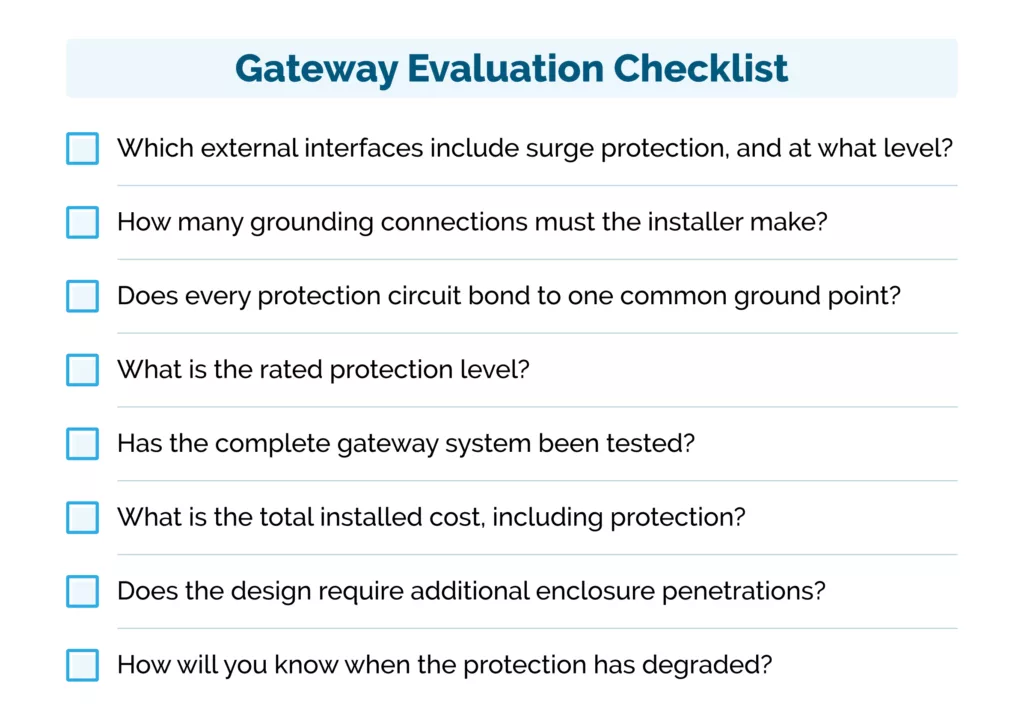
Use this checklist when comparing outdoor gateways. Any vague, incomplete, or unsupported answer should prompt further investigation.
1. Which external interfaces include surge protection, and at what level?
Confirm that RF, power, and backhaul connections are each protected. Ask the vendor to address every interface separately.
2. How many grounding connections must the installer make?
A single, clearly defined connection indicates an engineered grounding architecture. Multiple field-installed connections increase installation complexity and the risk of inconsistent bonding.
3. Does every protection circuit bond to one common ground point?
All protected interfaces should share the same low-impedance ground reference. Ideally, the gateway chassis serves as the common bonding point and facilitates heat dissipation. Separate grounding wires for each interface should be treated as a warning sign.
4. What is the rated protection level?
Do not accept “surge protected” as a complete answer. Request the protection rating for each interface, the test standard used, and the conditions under which the rating was validated.
5. Has the complete gateway system been tested?
Confirm whether the fully assembled gateway was factory-tested as a complete system or whether performance depends on separately installed components being connected correctly in the field.
6. What is the total installed cost, including protection?
Include external surge protectors, enclosures, mounting hardware, grounding components, installation labor, and ongoing maintenance when comparing gateway prices. Once these costs are included, an apparently cheaper gateway may offer little or no real saving.
7. Does the design require additional enclosure penetrations?
Every added cable entry, gland, connector, or external protection device creates another potential point of water ingress, corrosion, and long-term failure.
8. How will you know when the protection has degraded?
Ask whether the gateway provides status indicators, alarms, remote monitoring, or defined inspection and replacement intervals. Without a clear detection method, the first sign of degraded protection may be a failure during the next storm.
What to ask for before approving a gateway
The checklist helps structure the technical discussion. Before procurement, ask the manufacturer to support those answers with documentation.
A technical claim is only as good as the evidence behind it, so consider requesting the following information before finalizing a gateway selection:
- A bonding diagram showing how RF, power, and backhaul protection connect to ground
- Surge ratings and applicable test standards for every external interface are listed one by one
- Installation instructions naming every grounding connection the installer has to make
- Test results for the fully assembled gateway, rather than for its individual components
- A complete bill of materials, including any external protection hardware that the design assumes you will buy
- A documented method for inspecting, monitoring, or replacing protection as it degrades
When each approach makes sense
Bolt-on protection can be a reasonable choice for small, low-exposure deployments: indoor or sheltered installations, low-lightning regions, short project lifespans, or sites where an experienced in-house team controls every installation.
Built-in protection is the stronger choice when the gateway is genuinely exposed. That covers tower- and rooftop-mounted units, lightning-prone regions, distributed networks installed by third-party crews, and any deployment where a site visit is expensive or slow to arrange.
The higher the cost of site visits, the more critical the grounding design becomes.
Final thought
“Surge protected” can describe very different gateway and installation architectures. Built-in protection is validated as a complete system at the factory, while bolt-on protection depends on the quality of each individual installation throughout the network’s lifespan. Compare outdoor LoRaWAN® gateways, ask how many separate grounds it takes to make the protection real.
Look for a clearly documented grounding and bonding architecture, defined protection levels and evidence that the gateway has been tested for its intended environment.
If you would like to discuss how this applies to your sites, especially in high-exposure or hard-to-access locations, our team is available to assist at info@tektelic.com.