Expertise
6 min reading
22 May 2026
22 May 2026
LoRaWAN Network Server Explained: Architecture, Features, and How to Choose the Best One

At TEKTELIC, we have been building and deploying LoRaWAN infrastructure for over ten years. During this time, we have worked with operators, enterprises, utilities, and system integrators on networks of very different sizes — from small building deployments to large national networks with hundreds of thousands of devices.
One topic often becomes more important than expected: the choice of LoRaWAN Network Server (LNS).
It is easy to see the LNS as just another software layer. In reality, it is one of the most important decisions in a LoRaWAN deployment. It affects network performance, data delivery, device security, scalability, and the amount of work your team will need to keep the network running over time.
With this article, we want to make your decision easier. We will walk you through what a LoRaWAN Network Server does, what separates a capable platform from a carrier-grade one, and what to look for when you are comparing your options.
| The LNS is not just software running in the background. It is the brain of your entire LoRaWAN network. |
What a LoRaWAN Network Server does
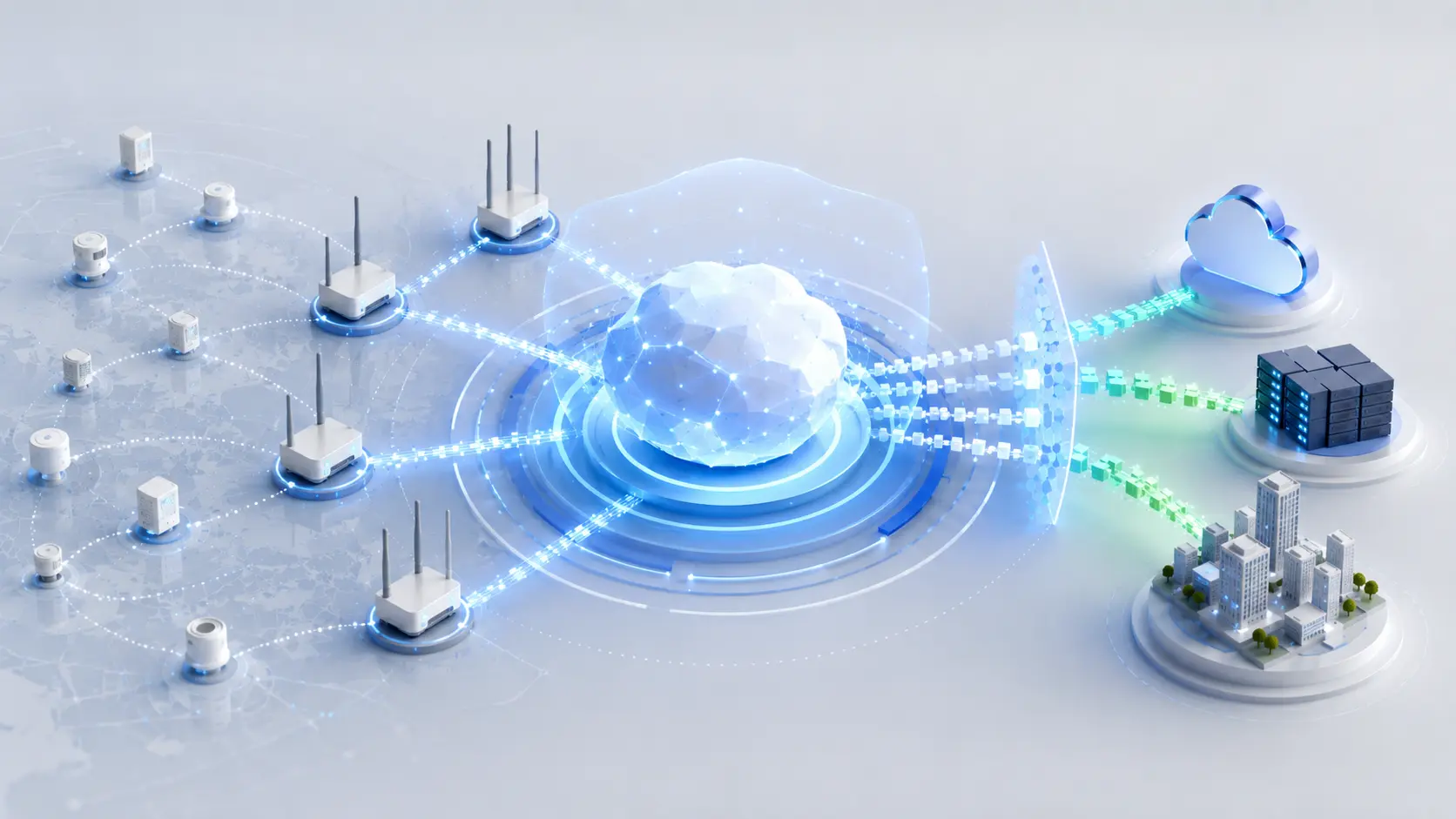
The simple explanation is this: sensors send data, gateways receive it, the network server processes it, and applications use it. That explanation is correct, but it leaves out much of what is happening behind the scenes.
When a sensor sends a packet, several gateways in range may receive it at the same time. The LNS takes all those copies, identifies the best one, and removes the duplicates before the data reaches the application.
This matters more than it may seem. Without this step, the application could receive the same meter reading twice, the same alarm twice, or the same occupancy status twice.
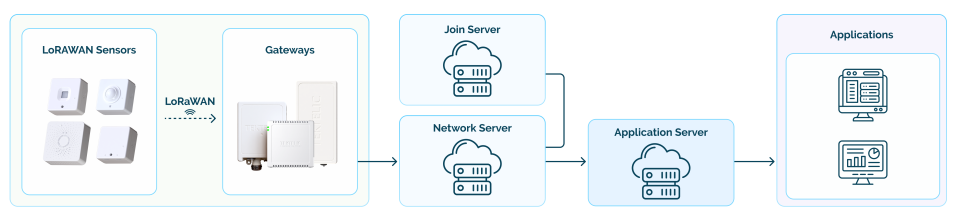
The LNS also checks every message before passing it on. It confirms that the packet came from a registered device, that it has not already been sent as part of a replay attack, and that the device session is valid. Without these checks, the network could process spoofed, duplicated, or corrupted data just as easily as valid data.
Then there is Adaptive Data Rate, or ADR. It is one of the most important functions of a well-built LNS, and often one of the least discussed.
ADR allows the network to tell each device which data rate and transmit power to use, based on the signal quality that device is actually getting. A device close to a gateway can transmit faster and at lower power. A device at the edge of coverage can slow down to improve packet delivery.
When ADR works well, battery life improves, airtime is reduced, and one gateway can support more devices. When it does not work well — or is not available at all — the network uses more power and capacity than it needs, and batteries may run out earlier than expected.
|
WHY ADR MATTERS IN PRACTICE In a well-tuned LoRaWAN network, ADR can add years to device battery life and roughly double the number of devices a gateway can handle. The LNS is what makes this possible — or not. |
Now that we have covered what happens inside the LNS, let us look at what makes one platform more reliable than another at scale.

Carrier-grade: what it means and why it matters
There is a real difference between a LoRaWAN Network Server that works well in testing and one that performs reliably in production — at scale, over years, and in conditions that do not always go as planned.
That difference comes down to how the platform is built.
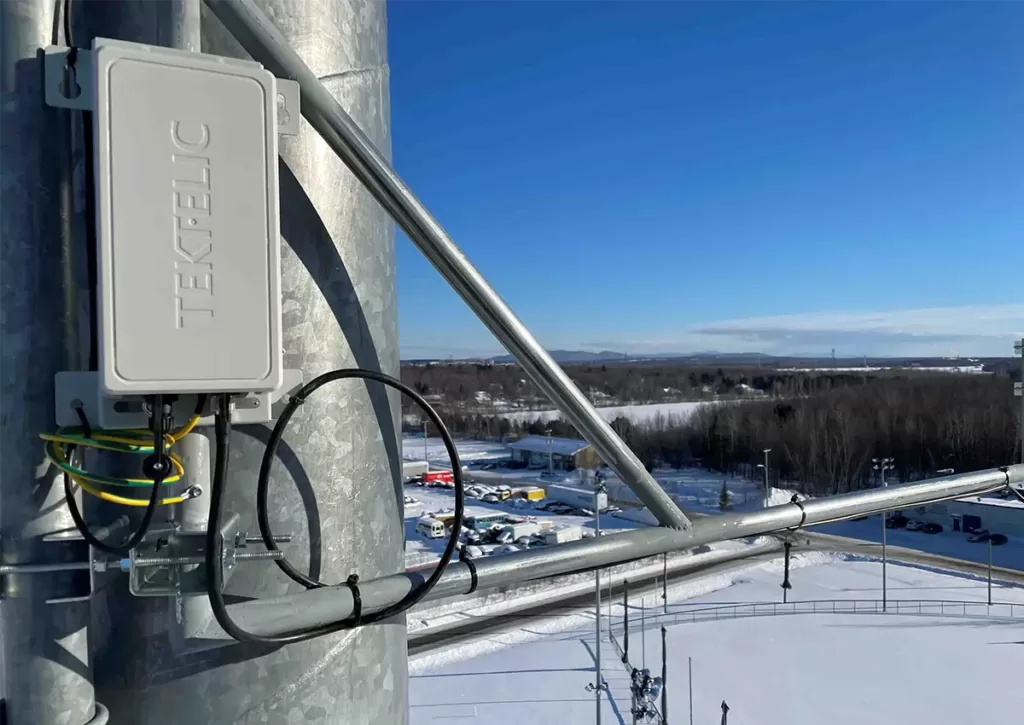
A carrier-grade LNS has no single point of failure. If one component goes down, the rest of the system continues to operate. It scales horizontally, which means capacity can be added when needed without rebuilding the network. It also runs with N+1 redundancy, so the loss of one node does not bring down the entire system.
For a small pilot, this may not seem necessary. For a utility running a hundred thousand meters, a hospital campus, a smart building portfolio, or a public network with multiple tenants, it becomes the minimum requirement.
These networks cannot go offline every time maintenance is needed. They also cannot depend on an architecture that was never designed to recover cleanly from failure.
That is the difference between a LoRaWAN Network Server and a carrier-grade LoRaWAN Network Server. The first routes packets when everything is working. The second is built to keep going when something goes wrong.
| How a platform is built determines whether it stays up. What it does with data determines whether that data is actually useful. |
Getting data from your network to your business
LoRaWAN sensors do not usually send ready-to-use readings. They send compact, encoded byte strings that mean nothing to a business application until something translates them. That translation is one of the important roles of the LNS.
Payload codec support turns a raw hex string into usable data — a temperature reading, an occupancy state, a meter value, or a battery percentage. Without this built into the platform, each application connection may need its own decoding logic, which someone has to write, test, and maintain.
The other part is routing. A strong LNS supports standard protocols such as MQTT, HTTP, and REST. It can also connect to the platforms and systems where the data needs to go, including Azure IoT Central, AWS IoT Core, ThingsBoard, building management systems, SCADA, and internal applications.
This is the point where sensor data stops being radio traffic and starts becoming useful business information.
| The question is not whether your LNS can deliver packets. It is whether it can get the right data to the right system, in the right format, without breaking. |
Knowing what the LNS does with data is one part of the picture. The other is knowing where it runs — a choice that tends to have longer legs than most teams expect when they first make it.
Where your LNS runs — and how to choose
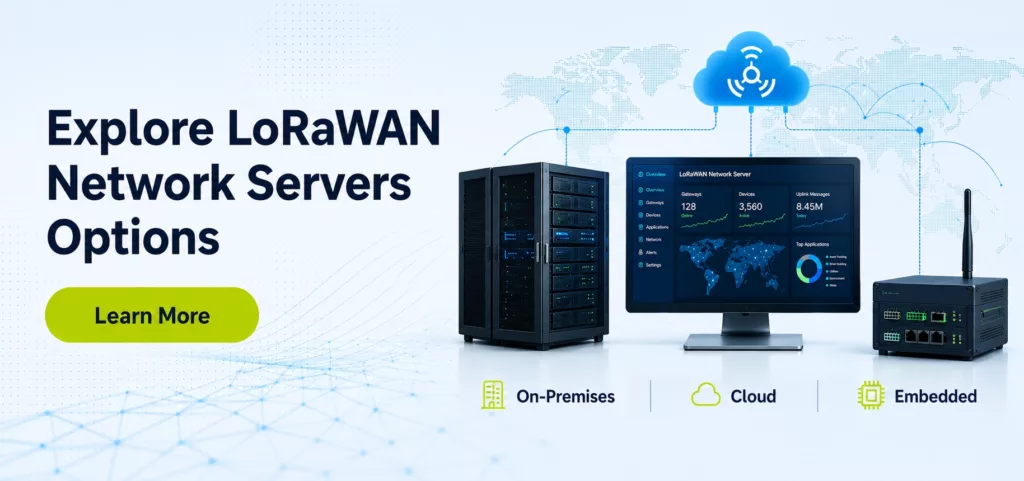
There is no single right deployment model for a LoRaWAN Network Server. The best option depends on your security requirements, IT environment, data sensitivity, and how much your team wants to manage directly.
Here are the four main options.
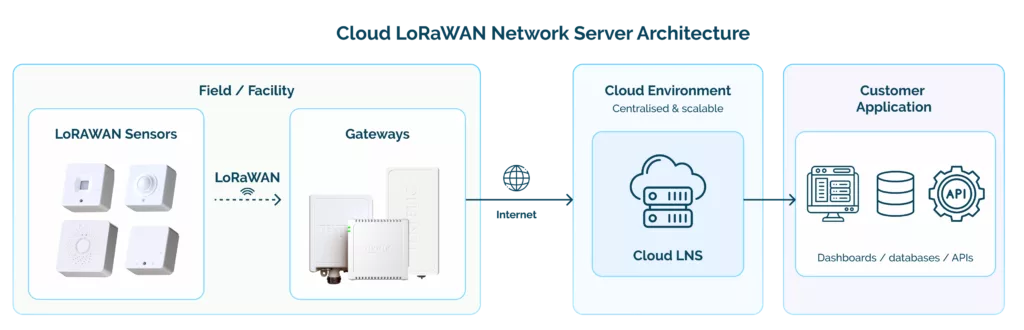
Cloud LNS
Runs in the cloud and connects all gateways to a central system. It is fast to set up, easy to scale across multiple sites, and requires minimal IT work to keep running.
Best for: Fast deployment and multi-site scaling without managing your own infrastructure.
Private Cloud LNS
Runs in a dedicated cloud environment that you control. You get the convenience of cloud with more control over security, data location, and configuration.
Best for: Teams that want cloud simplicity but need an isolated environment or specific compliance controls.
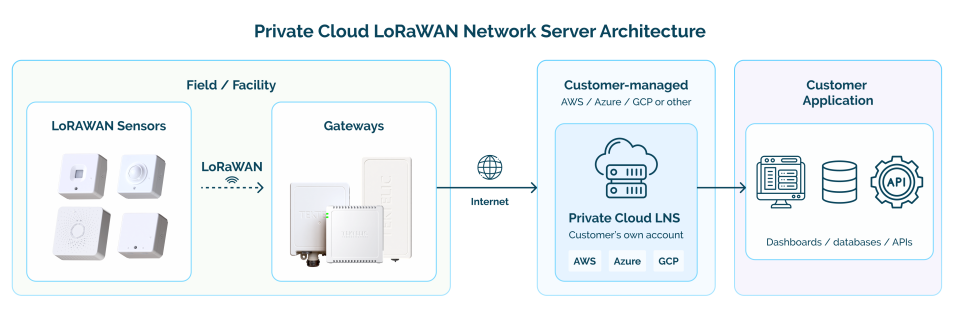
On-Premises LNS
Runs inside your own infrastructure. You have full control over your data, security setup, and how the system connects to internal applications.
Best for: Organizations where data control, internal security policies, or integration with existing IT systems is a hard requirement.
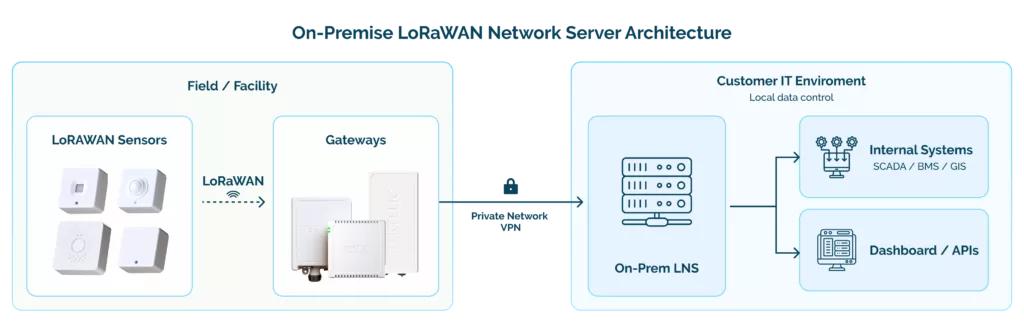
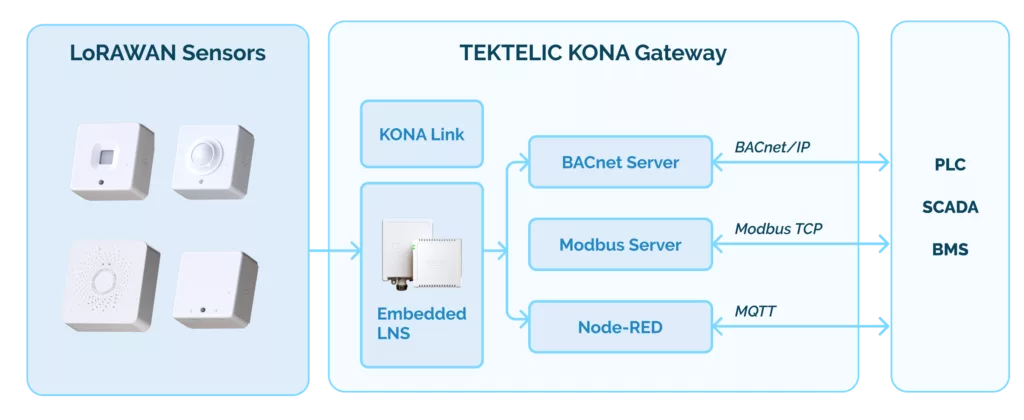
Embedded LNS
Runs directly inside the gateway. No separate server is needed because the gateway handles the network server functions on its own.
Best for: Small or remote sites where a simple, self-contained setup with no external dependencies is the right fit.
With a clear picture of what to look for in an LNS, let us look at how KONA Core is built to meet these requirements.
TEKTELIC KONA Core: what it delivers
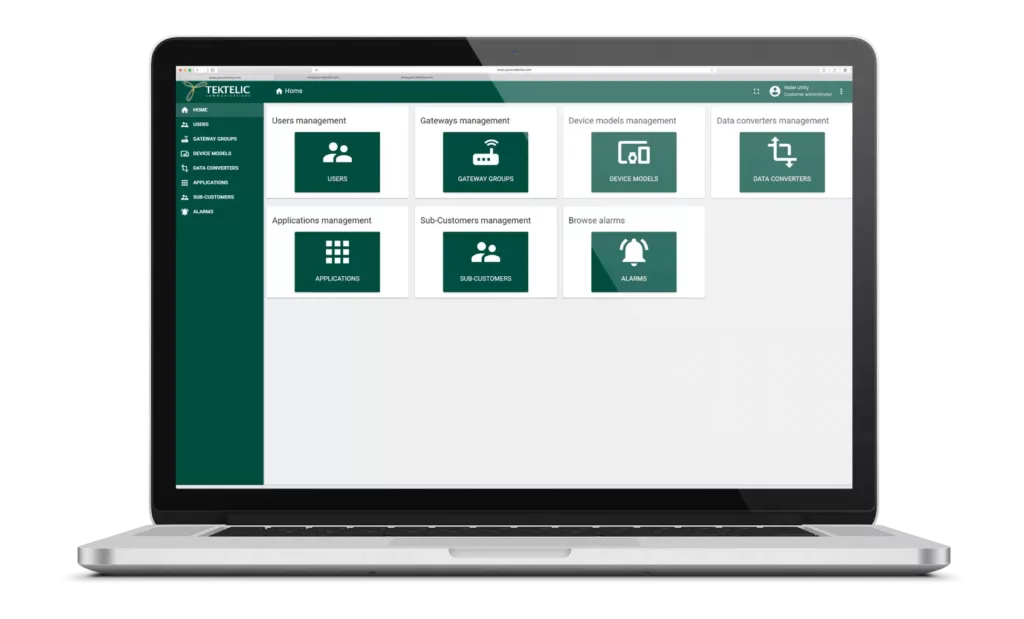 KONA Core is TEKTELIC’s carrier-grade LoRaWAN Network Server. It is not an add-on feature in a bigger platform — it is the core of TEKTELIC’s LoRaWAN ecosystem, built and maintained by the same team that designs our gateways, devices, and network tools.
Here is what that looks like in practice:
| Full LoRaWAN stack
OTAA and ABP activation, Class A/B/C device support, ADR, downlink scheduling, MAC command handling, multicast, and FUOTA — the full protocol, not a partial implementation. |
Carrier-grade architecture
No single point of failure, horizontal scalability, N+1 redundancy, and fault tolerance tested in live networks with hundreds of thousands of devices. |
| Data delivery and codecs
Routes payloads via MQTT(S), HTTP(S), REST, Azure IoT Central, ThingsBoard, and AWS IoT Core. Decodes raw payloads to clean JSON so your applications can use the data straight away. |
Operational visibility
Real-time packet display, device and gateway monitoring, event streaming, log aggregation, and email alerts. Problems show up early, before they affect your network. |
| Security
TLS encryption, SSO, x.509 certificate support, role-based access control, annual penetration testing, and security audits. Built to meet the requirements of utilities, healthcare, and public network operators. |
Automation and APIs
Full REST API for bulk device provisioning, configuration, event subscriptions, and billing integration. Less manual work as your network grows. |
| Multi-tenancy
Role-based access, separate customer environments, subscription limits, and sub-customer management — built for managed service providers and public operators. |
Global and open
Regional frequency plans for North America, Europe, Asia, and beyond. Works with TEKTELIC and third-party devices and gateways, including the Semtech UDP packet forwarder. |

The one decision that is hardest to undo
Every LoRaWAN network eventually reaches the limits of the decisions made at the beginning.
Gateways can be replaced. Sensors can be swapped out. The LNS is different. It is the layer everything else depends on, which makes it the hardest part to change once the network is already running.
It also has one of the biggest long-term effects on performance, security, scalability, and operating costs.
Getting it right early is much easier than fixing it later. That is how we think about LNS design when we work with customers, and it is one of the reasons KONA Core was built the way it is.
| PART OF A COMPLETE ECOSYSTEM
KONA Core works alongside TEKTELIC’s carrier-grade gateways, KONA Element for gateway fleet management, KONA Radiant for RF planning, ATLAS for device configuration, LOCUS for location services, and TEKTELIC’s full range of sensors, trackers, and medical IoT devices. Every piece is built to work together — from the first pilot to national scale. |
Want to talk through your deployment?
Whether you are starting a new network, expanding an existing one, or moving away from a platform that is no longer supported, we are happy to have a straightforward conversation about what KONA Core could look like for your situation. Reach out to our team: info@tektelic.com