Expertise
5 min reading
20 October 2026
20 October 2026
Senior Care Trend Monitoring: How Wearable Vital-Sign Trends Help Care Teams Recognize Meaningful Change


In senior care, small changes in a resident’s condition can be difficult to recognize. Someone may become less active, sleep poorly, or show unusual fatigue without clearly communicating what feels different.
For care teams managing multiple residents, routine wellness checks provide essential information. But what happens between those checks?
Wearable monitoring technology can add another layer of insight. By tracking physiological measurements and activity patterns over time, care teams can better understand changes from each resident’s usual condition and decide when closer assessment may be appropriate.
TEKTELIC’s Senior Care Trend Monitoring Solution uses two purpose-built wearables (eBeat and eDoctor) which are connected over LoRaWAN via a KONA Micro Gateway. The residents themselves never have to own, pair, charge or operate a smartphone.
This guide explains the problem the solution is aimed at solving, how the solution works, how to pick between the wearables, how to build a credible business case and how to run a pilot that will prove the value of the solution prior to scaling.
At a glance
- Who it is for: long-term care homes, assisted living communities, supportive living programs, home-care providers and other continuing-care organizations.
- What it measures: intermittent SpO2, respiration rate, pulse rate and skin temperature trends, plus activity level and body position (depending on the device).
- How data travels: The wearable transmits its readings over LoRaWAN to the KONA Micro Gateway, which forwards them to the TEKTELIC application, where authorized professionals can review both current values and historical trends.
- What it does not do: replace direct assessment, professional judgment, established documentation or emergency procedures.
- How to start: a focused pilot with one facility unit, one home-care cohort or one defined resident group — then scale only after resident acceptance, staff workload, technical performance, care value and ROI are validated.
The key challenge: a gap between what staff observe and the data they have
Care teams must understand how older adults are doing with limited staff time, across residents whose baseline health, mobility and communication abilities differ widely. Routine observations, scheduled wellness checks and direct conversations remain essential. But physiological measurements are often collected only after staff have already noticed a specific concern.
Why changes are easy to miss in older adults
Older adults may live with multiple chronic conditions, frailty, cognitive impairment or communication challenges. A change in condition often does not arrive as a clearly reported symptom. Instead, it can show up as:
- tiredness or lower energy
- confusion
- reduced activity or mobility
- shortness of breath
- poor sleep
- a general departure from usual behavior
Trends in respiration rate, pulse rate, oxygen saturation, skin temperature, activity and body position can add useful context when staff are deciding whether a resident needs a closer assessment or follow-up.
What care teams actually need
Senior-care teams need a practical way to review selected physiological and activity trends without adding:
- repeated manual measurements
- frequent room checks
- complex equipment
- technology that depends on each resident owning and operating a smartphone
The cost side of the problem
Manual vital-sign checks and routine room visits take staff time. Avoidable ambulance calls, emergency-department transfers, hospital admissions and additional inpatient days can create substantial costs and disrupt residents. Any monitoring program should therefore be judged on its operational and financial case as well as its care value.
What is senior care trend monitoring?
Senior care trend monitoring is the periodic collection of selected physiological, activity and position measurements from residents, so that care professionals can review how each person’s readings change over time compared with their own usual patterns. It adds objective context to the observations, care notes, wellness checks and conversations that staff already rely on.
| Trend monitoring is | Trend monitoring is not |
| Additional information that supports resident assessment | A replacement for direct assessment or professional judgment |
| A way to recognize meaningful change from a resident’s usual patterns | A substitute for established documentation or emergency procedures |
| A tool to target wellness checks and prioritize staff attention | A guarantee that transfers or hospital visits will be prevented |
| A program measured against a defined baseline | A hardware purchase that delivers value on its own |
The value is not the hardware alone. It is the ability to add useful context to resident assessment without bulky bedside equipment or repeated resident interaction with technology.
How TEKTELIC’s Senior Care Trend Monitoring Solution works
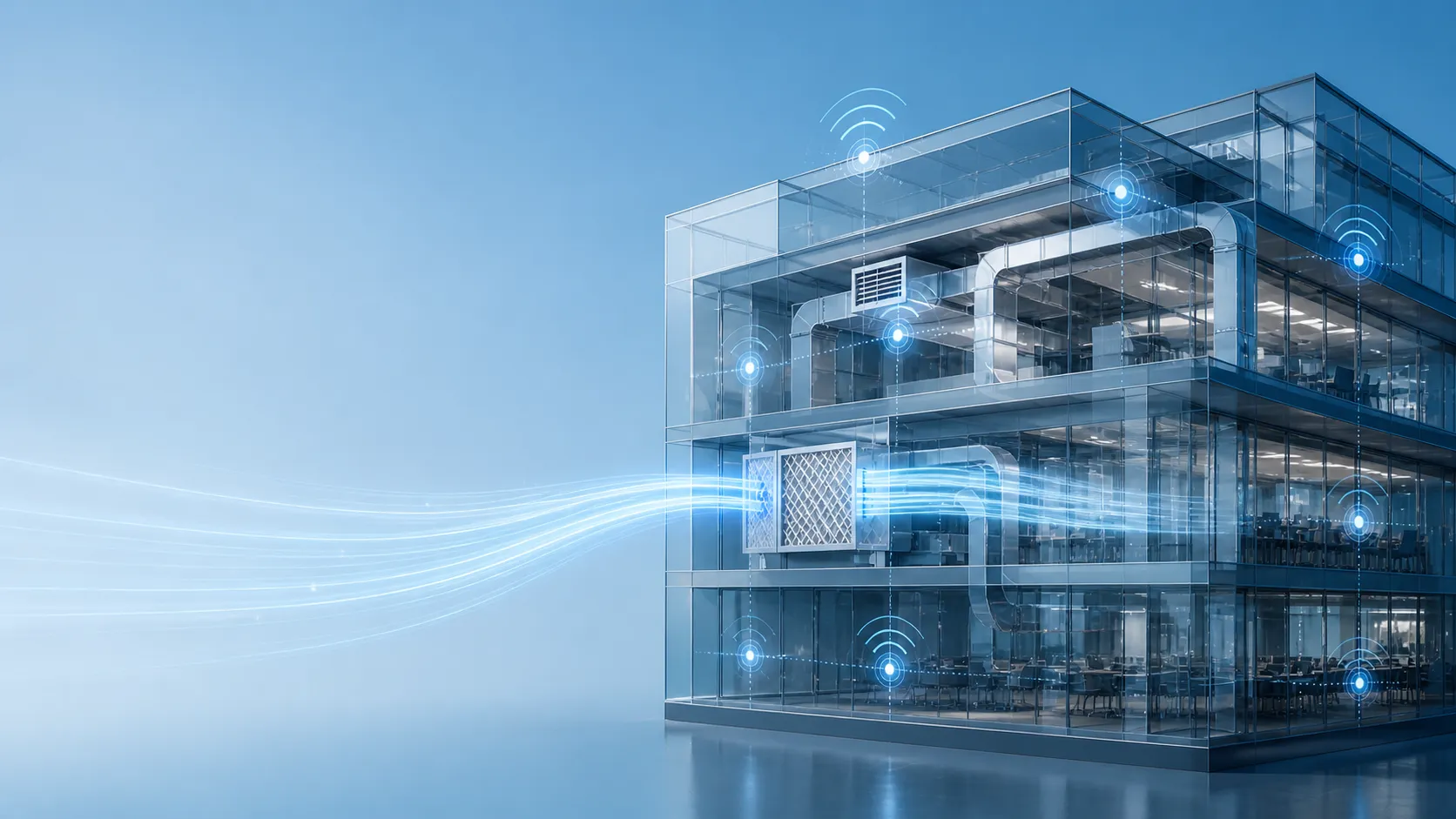
TEKTELIC’s solution combines direct observations with objective physiological, activity and position trends to give care teams a more complete view of each resident’s condition. It works in four steps:
- Selected residents wear eBeat or eDoctor, chosen according to the care objective and an acceptable form factor.
- The wearable takes intermittent measurements and transmits them over LoRaWAN.
- One or more preconfigured KONA Micro Gateways receive the data and forward it to the TEKTELIC application environment. A KONA Micro may support an individual aging-in-place residence or a defined coverage area within a facility, depending on building layout and validated network coverage.
- Authorized professionals review current information and historical trends in the TEKTELIC application, then act according to the care team’s agreed workflow.
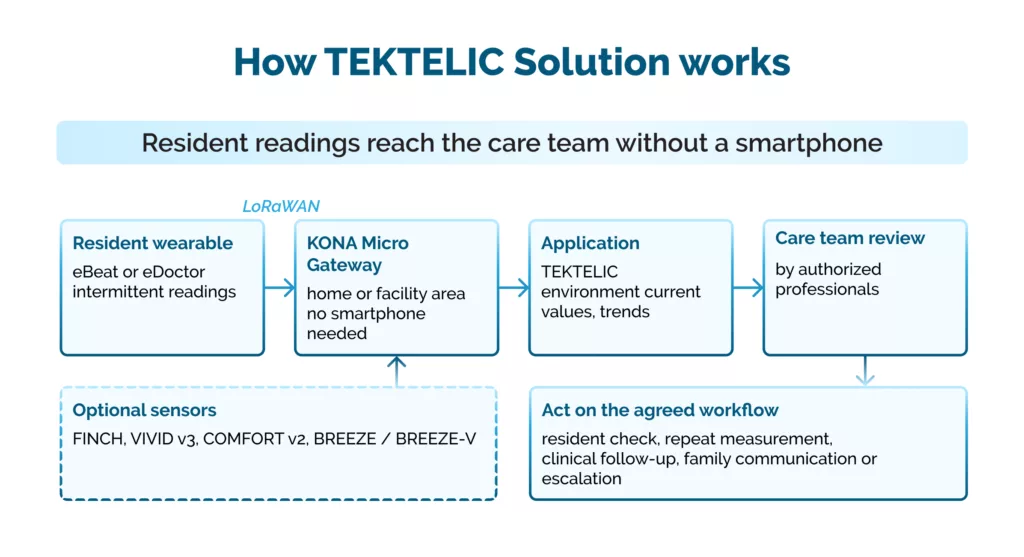
Optional sensors share the same KONA Micro coverage; every action follows the care team’s agreed workflow.
Why no smartphone matters
The resident does not need to own, pair, charge or correctly operate a smartphone for data to be transmitted. That removes a major onboarding barrier for residents who do not own a smartphone or are not comfortable using one.
What the platform provides
The TEKTELIC Application and LoRaWAN Services cover resident and device setup, secure data routing, current measurements, historical trends and multi-resident review. The application serves as the initial review interface, with a path to data export or later integration with the customer’s own systems.
eBeat vs eDoctor: Which wearable fits which resident?
Choose eBeat when oxygenation and respiratory context matter most; choose eDoctor when you also need activity and body-position information. eBeat and eDoctor remain the primary devices for physiological trend monitoring.
|
|
eBeat | eDoctor |
| Where it is worn |
Arm |
Chest |
| SpO2 (oxygen saturation) |
Yes |
— |
| Respiration rate |
Yes |
Yes |
| Pulse rate |
Yes |
Yes |
| Skin temperature |
Yes |
Yes |
|
Activity level |
— |
Yes |
| Body position |
— |
Yes |
|
Measurement type |
Intermittent trends |
Intermittent trends |
| Best fit |
Residents where oxygenation and respiratory context are important; a form factor suitable for prolonged wear |
Residents where staff want to recognize unusual inactivity, reduced movement or prolonged time in one position |
|
Quantity |
1 per selected resident |
1 per selected resident |
How to choose
Base device selection on:
- the resident group
- the monitoring objective
- wear duration
- skin and mobility considerations
- the form factor that residents and staff can realistically support
Adding safety, behavior and environmental context
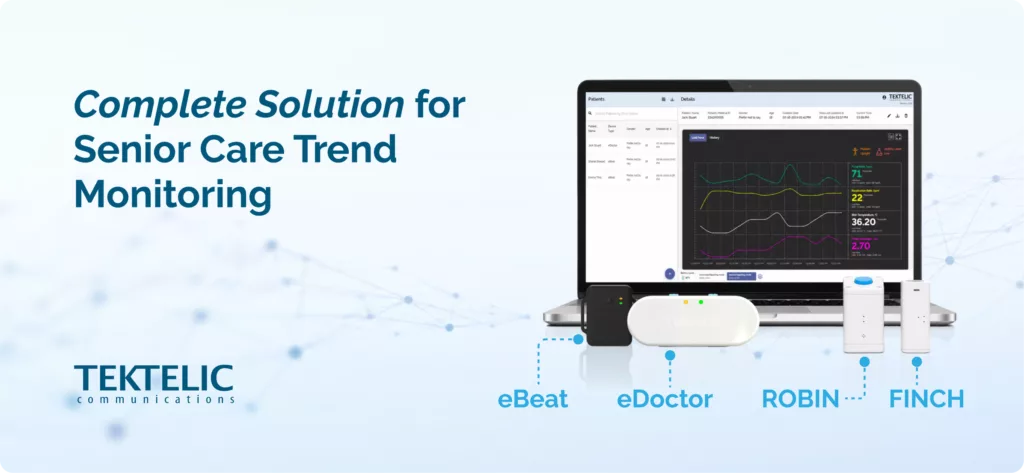
TEKTELIC can add complementary devices where broader safety, behavior and environmental context is useful, but only where they address a defined care need and do not create unnecessary workflow complexity.
| Device | What it adds |
| FINCH | A wearable call-for-help function; may support indoor location workflows when paired with the required infrastructure |
| VIVID v3 | Motion and presence information |
| COMFORT v2 | Context such as door, bathroom or routine-related activity |
| BREEZE / BREEZE-V | Indoor environmental information such as temperature, humidity and CO2 |
These modules sit alongside physiological trends. They do not replace eBeat or eDoctor as the primary trend-monitoring devices, they expand and widen up their functionality, providing the full picture for efficient patient care monitoring.
10 benefits for care teams, residents and families
The core value is combining staff observations with objective resident trends, focusing attention where it is most useful, and proving whether the program creates measurable care, operational and financial benefit.
For care teams
- Better-informed resident assessment. Physiological, activity and position trends add context when a resident appears tired, less active, confused, short of breath, uncomfortable or generally different from usual.
- Earlier recognition of meaningful change. Comparing readings with a resident’s usual patterns may help staff decide when a change warrants closer observation, a repeat measurement, clinical follow-up or a conversation with family.
- More targeted wellness checks. Staff can direct limited time toward residents with an identified concern, rather than applying the same frequency of manual checks to every resident.
- Potential reduction in manual measurements and routine rounds. Trend information may reduce reliance on repeated spot checks or unnecessary room visits, where the care team decides that remote information provides sufficient interim context.
For residents and families
- Potentially fewer avoidable transfers and hospital visits. Better information may support earlier follow-up or help care teams decide when a resident can be assessed and supported in place. Any reduction must be measured against the organization’s baseline and is not guaranteed.
- Clearer communication. Objective trends support more informed conversations with residents, families and healthcare providers about what staff observed, what has changed and why follow-up may be appropriate.
- No dependence on a resident smartphone. Data flows through the KONA Micro Gateway, which reduces onboarding complexity for residents who do not own or are not comfortable with a smartphone.
For the organization
- Purpose-fit wearable options. eBeat adds SpO2 and respiratory context in an arm-worn form factor; eDoctor combines physiological trends with activity and body-position information in a chest-worn form factor.
- Broader continuing-care context when required. Optional FINCH, VIVID, COMFORT and BREEZE devices add call-for-help, presence, routine, door, location and environmental information alongside physiological trends.
- Scalable, measurable deployment. Start with a focused cohort, measure staff time, checks, transfers, acute-care utilization, data continuity, resident acceptance and total cost per resident, then expand only when the care workflow and business case are supported.
Read also: How to improve remote patient monitoring after discharge
How to build a realistic ROI case for senior care monitoring
A credible business case compares validated benefits against the complete cost per resident monitored.
Monitoring does not guarantee that acute-care events will be prevented, and released staff capacity is not automatically a direct budget saving. A well-designed program may still create measurable value by reducing unnecessary checks, supporting earlier and better-informed follow-up, helping residents remain in place when appropriate and focusing limited staff resources where they are most needed.
| Value side: what to measure | Cost side: what to include |
| Staff time spent on manual vital-sign checks | Devices (eBeat, eDoctor and any optional sensors) |
| Routine room visits and unnecessary checks | KONA Micro Gateways |
| Ambulance calls | Software |
| Emergency-department transfers | Deployment |
| Hospital admissions and additional inpatient days | Training |
| Residents supported in place when appropriate | Support and maintenance |
| Data continuity and resident acceptance | Staff time spent reviewing trends |
Three rules for an honest business case
- Measure against a baseline. Record manual checks, staff time, transfers, emergency visits, admissions, data continuity and cost per resident before the pilot starts.
- Count only validated benefits. Any reduction in transfers or hospital visits must be measured, not assumed.
- Include the review burden. Staff time spent reviewing trends is a real cost; the pilot should show it stays manageable.
How to run a senior care monitoring pilot
Start small, measure everything against a baseline and scale only after the workflow and ROI are validated.
Step-by-step deployment
- Pick one environment and one cohort. One facility unit, one home-care cohort or one defined resident group.
- Fit each selected resident with the most appropriate wearable eBeat or eDoctor.
- Deploy KONA Micro Gateway coverage sufficient for the home or facility area.
- Use the TEKTELIC application as the initial professional review interface.
- Add FINCH or passive room and environmental sensors only where they support the selected workflow.
- Set the baseline for manual checks, staff time, transfers, emergency visits, admissions, data continuity and cost per resident monitored.
- Scale after validation by adding residents, facility areas, homes, users, complementary modules and customer-system integrations.
Define the care workflow before go-live
The workflow should answer five questions:
| Workflow question | Decide before the pilot |
| Who reviews trends? | The role that owns trend review |
| How often? | Review frequency across days, evenings, nights and weekends |
| What triggers action? | What requires a repeat measurement or resident check |
| How is it recorded? | How actions are documented |
| When to escalate? | When a nurse, physician, family member or emergency service is contacted |
5 questions to answer before you start
Use these questions to shape your pilot and define what success looks like:
- Where do you start? Which senior-care environment, resident group and monitoring objective should be prioritized for an initial pilot?
- What will residents accept? Which wearable form factor and wear schedule suit residents with different mobility, cognitive, skin, comfort and communication needs?
- Who reviews, and how often? How often can teams realistically review trends, which role owns the review, and what workflow is manageable across days, evenings, nights and weekends?
- What is actionable? What information or change is significant enough to trigger a resident check, repeat measurement, clinical follow-up, family communication or escalation?
- What proves value? Which outcomes would justify expansion — staff time, manual checks, prioritization, avoidable transfers, acute-care utilization, resident acceptance, data continuity and cost per resident monitored?